December 21, 2005

Combining Ideas in a Post

I have found that combining ideas in a post make sense if it is a structured list…say like 18 Lessons I Learned About Blogging.

I have also found that if it is not easy to structure items together that if you want people to read about them then you are probably best off making individual posts for most items. EGOL likes the stream of conscience blogging stuff, but generally I have found that when I did it I was spending a ton of time reading stuff and then only passing on a bit of what I learned. Few people were commenting on the posts or following most of the links in the posts. Simply giving people too many options and putting too much information in a small space meant that much of it went ignored.

I also have a saying that if what you are doing can be easily reproduced by algorithms then it might be a good idea to mix it up a bit…meaning that if I am just putting together something that looks like a daily links post or is also located on tech.memeorandum.com then I need to spend a bit of time looking for a few other sources, and spend a bit of effort trying to put my personality into whatever I am trying to say…even though I   am   just    typing     and      the       computer          won’t           speak…arg……………..

December 19, 2005

Structured Blogging: the End of Product Placement? Hardly!

Clickz has an article called the end of product placement about structured blogging.

My mom blogs. She uses blogger and likes it because it is easy to use. There is only so much you can structure stuff before the added features make the publishing process less interesting or more confusing. My mom’s site is not going to end up on kritx.com because she does not care about hReview.

If you inherently trust the structure people offer then it fills with spam, and then you just end up with MORE product placement…see splogs for examples. :)

There is a lot of money in figuring out the structure of the web, but I think companies like Google and Yahoo! like the fact that there is a certain amount of noise and dishonest proposition created daily because it raises the barrier to competition. Directly or indirectly these large search companies will sponsor the noise necessary to block out competition.

I think advanced algorithms looking across the web graph will solve the problems with structure more than the content management systems will. The money is in aggregation and filtering, and it is doubtful that blogs as a whole will tap into any system that requires them to be a visual center to format the data. Even if data formats help some stuff it is still going to be the algorithms layered over the top that build the value that can be exploited for profit.

Do Bloggers Put in More Effort than Reporters?

Well this is an obviously brilliant linkbait. Mark Cuban posts asking the question Do bloggers put in more effort than reporters do?

As more people learn to reject / question self imposed authority in favor of personally and directly voting I have to think that is a good thing for consumers and democracy.

Yahoo! wants you subscribing to channels and tagging them. Google is making it easy to see what others have to say about something.

I have been interviewed by a number of reporters and have also been profiled on many blogs. I don’t think that on average the reporters did a far better job than the bloggers did. In fact, many of the reporters seemed to have even had their desired response built into many of the questions they asked me, and I frequently had to step back and re frame the question I was answering.

December 18, 2005

Performancing Opens Blogger Forums

Have questions about blogging? Ask at the Performancing forums.

December 16, 2005

XML, Bloglines, My! Yahoo, My MSN, and Google Reader Subscribe to this Feed Buttons

People who subscribe to your blog will be more inclined to read more of your posts. They will also be more inclined to comment on or link at your posts. Making it easier for people to subscribe to your feed sends lots of love your way.

People use a wide variety of feed readers, but I thought it would be cool to provide the buttons to the most popular feed readers to help users subscribe to your content.

Attached in the syndicate zip file is the subscriber images for some of the most popular feed readers, XHTML source code for using the images horizontally or vertically, and directions for how to integrate them into your blog.

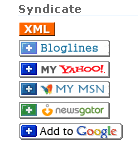
Here is what the buttons look like vertically:
Image of vertical syndication buttons.

Here is what the buttons look like horizontally.

Code to post the images vertically and horizontally is included in the zip file. You can also alter the code however to fit your site design. ff you need more specific tips for integrating the buttons on your blog please let me know.

Thanks to Andy Hagans for making a few of the buttons.

Moving Away from Default Site Designs

I tend to use some of the default settings a bit more frequently than one should. The problem with defaults is that when some people see them they may not take them seriously…thus new readers are less likely to trust or link to content since they initially saw it through a speculative eye.

When you are new to the web it can be a bit hard to edit the page code, but just a couple small changes to the site can turn something from a default piece of crap to something that makes it look like you care about it.

Here are my general rules:

  • Do not use the most default template.
  • If there is a template that sorta fits your theme then start from there.
  • When in doubt start off with one of the cleaner looking templates. You can always add noisy elements later if the site looks too plain, but if the design looks too cluttered from the word go that’s no good.
  • A plain looking site also makes it easy to blend ads with the content or make something stick out if you want to push a special promotion.
  • If you plan on monetizing the site by selling ads make sure the ad space is part of the design instead of trying to fit it in later.

My specific steps:

  1. Buy a logo
  2. Find a template. There are some decent ones out there if you search around.
  3. Color match your template to your logo using a photo editor or a free program like TrayColor to grab the colors. Typically I match the headings and subheadings to colors in the logo and like to try to keep links blue if possible. This free color scheme tool will also help you find colors that are complimentary in design.
  4. Add feed subscription buttons
  5. Add a stats package like MyBlogLog, Sitemeter, or Google Analytics.
  6. Create a favicon. A favicon is the little image that shows up in the browser address bar when someone visits your site, or on your bookmarks when someone bookmarks your site. Performancing has a good thread on Favicons, and here are a couple free favicon generators: Chami and Favicon.co.uk . Please note that Favicons are super small so they can’t have much texture to them, and you may need to use a image manipulation tool like Adobe Photoshop or Snagit.
  7. If you can afford the time and effort required to make a great design off the start that is great. If not most people can still get by with a decent design until their sites are profitable enough to buy a better design.

Buy a Blog Logo

Buying a logo can sorta suck because you may not get exactly what you want, and you may not even know what you want. Think of what sort of brand you want to have. Is it one that emphasizes creativity and fun, is it a serious site, a tech one? Your logo should fit not only the colors you would like but also the theme that matches with your personality or the personality of the site.

A few tips I would offer on this front are to look at some logos others have designed to help come up with an idea for what you like. Sometimes you can even find out who designed a logo you like and have them design one for you. You can also:

  • Hire a professional logo designer. Some of the logos I have got have really been hit or miss. My favorite logo designer has sucky customer service. The only other logo designer that I used and liked was The Logo Company. A few of the logos I bought from them I did not like, but I loved their Fatty Weight Loss logo. Both DMOZ and Yahoo! Directory list many logo designers.
  • You can bid on projects on sites like Elance.com. I have generally found most of these to be a let down for me though.
  • Some forums like NamePros allow you to post logo design projects where you pick the winner. If you pay more you will attract higher quality designers, but I have seen some decent logos from the $20 to $50 range.
  • Ask for a favor from a friend who is good at logo design…perhaps offering to buy them dinner or pay them back down the road. If you are actively learning about the web you should participate in online communities to create trusted friends. Some of them may be able to help you directly, and others may be able to recommend you to someone who can help you.
  • If you have serious cash go with a kick ass designer like Hicks Design. I also like some of the logos from Eden Creations.
  • If you are a total do it yourselfer then Adobe Photoshop is amazing. A few cheaper logo design software products come from AAA Logo and Laughing Bird Software. I have not yet tried it, but GIMP is free open sourced software, and is supposed to be a lot like Adobe Photoshop.

Is there any software or logo designers you recommend? What work made you want to recommend them?

Blogspot = Bad…

If you use Blogger to power your blog and plan to make it a serious longterm project make sure you do not use Blogspot as your host. Here’s why:

  • Some people will not take some Blogspot hosted blogs seriously.
  • It is harder to remember (and thus recommend, subscribe, or link at) site.blogspot.com than site.com
  • Blogger has limited features. If you want to add some advanced tools or features to your site tough luck.
  • Search engines tend to trust sites more as they age (this is especially true with Google).
  • If you move your blog away there is no easy way to get the link popularity to flow from Blogspot to your new website.

I would almost always opt for using a self hosted blog solution like WordPress or MovableType.

TypePad: Inept

Log in attempts have failed and failed and failed again. TypePad has been down for hours today. Sick of seeing this POS screen.

Many blogs are driven by timeliness and some people own networks where downtime takes many many many man hours.

They should have a premium version where reliability does not blow. It’s not a real / honest business model to be unreliable and claim your solutions are geared toward professionals.

December 13, 2005

Blog Networks & Splog Networks

Blog Network List ranked by perceived value. Some of the values might be a bit off because they don’t factor in niche, monetization methods, or share of voice within local markets.

Daniel Pink writes on splogs:

What’s the answer? Part of it is technological – search engines and blogging tools that are more difficult to manipulate. But part is also Newtonian. In the ever-reacting online world, just as spam begat junk filters, splogs are begetting splog monitors like SplogSpot and SplogReporter. These sites compile lists of fake blogs and serve as consumer watchdogs for the blogosphere. Unless, of course, they turn out to be splogs themselves.

A good start to killing the splog problem would be the day Google started policing their own content network, but until then the best we can hope for is interviews from Matt Cutts.

« Previous Page Next Page »